
I made a vlog of a millennial cooking my kimchi jjigae recipe at home to accompany the gluten free, dairy free recipe website I built. The reason… I needed a simple promo for the site but I didn't want to be on camera or show the inside of my home and I wanted to save time. Ordinarily, what’s a guy to do, right? I had seen a promo for Glif.app's AI Video Gen platform and decided to experiment with it. Because this is the AI era and why not. My ultimate question going into this was framed as: could I make a cooking video I’d actually want to put on my recipe site without filming myself or my kitchen?
As I learned, creating a food video with a person talking to the camera was like trying to play a video game by starting at the final boss.
Here’s what I got when I asked Glif to make the whole thing in one go.
Right off the bat with video generative AI, you hit a STEEP learning curve. You need to have answers to questions and details you probably hadn’t thought of. Like selecting a proper anchor image to set the scene (a still shot) as a jumping off point for the video generation. Or generating an image of what the character in your video would look like. Then there’s the voices. You need to select a voice and then figure out how to get it to lip sync with the video.
Many intricate details needed decisions.
The AI Kimchi Jjigae Vlog - How I Did It
My original plan was a 15 - 30 second video vlog.
I opted to use Glif.app, an orchestrator set to “lite mode” which used a combination of Grok Imagine for the baseline soup/kitchen/scene images and the other baseline images for some of the cooking steps. An orchestrator is like an LLM harness that has access to many different LLM models and it guides or outright selects for you the best models based on what you want to accomplish. An orchestrator is VERY helpful for someone that doesn’t work exclusively with this type of AI all the time.
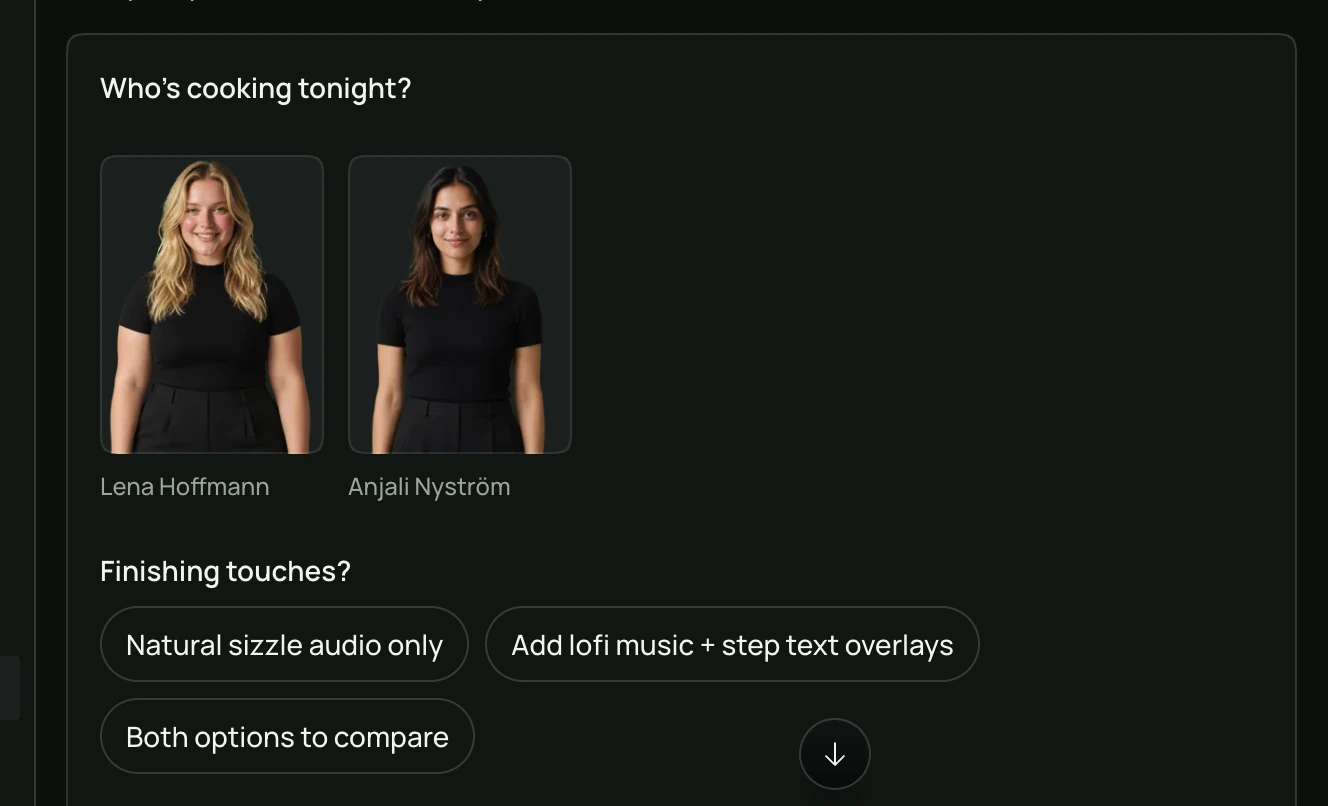
Using Glif’s proprietary character images (see above), I picked a character to feature in my scene. Glif also prompted me to choose whether I wanted background cooking noise, ambient music, or some combo of both.
Once I made my selections, I got a few “anchor stills” from Glif as the baseline for my video. Ie: they’re still shots that the model would use as a baseline for generating live action.
I was really happy at this point and had high hopes for a one shot. Although to be honest, I was also starting to realize that a “one shot” wasn’t actually what was happening as the orchestrator was nurturing me through a multi-step “best practices” process.
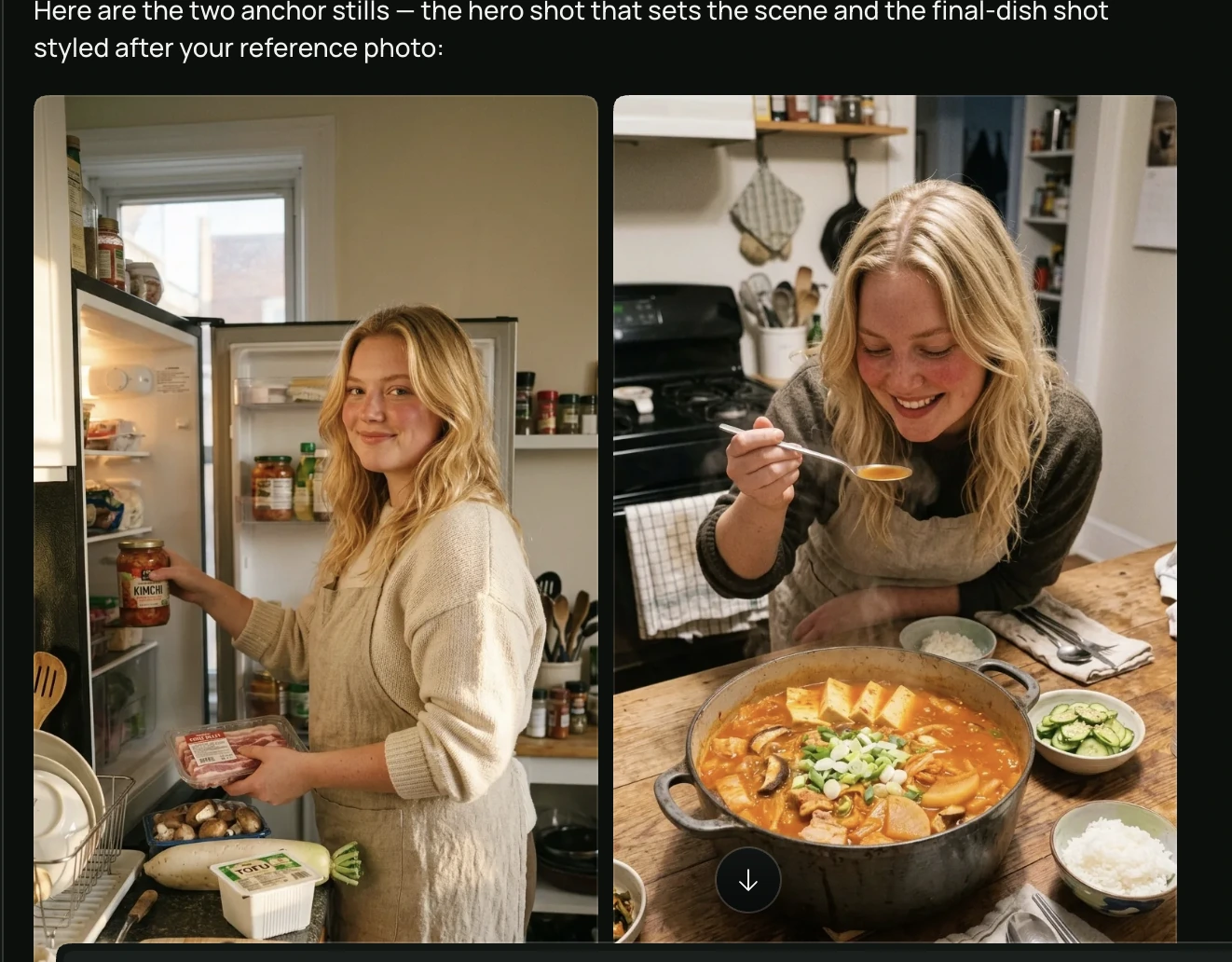
Glif had Grok Imagine generate a first pass at the video, a true one shot in which I told it to just generate the entire thing ( multiple clips) and stitch them all together for a finished product. It was mediocre. The character didn't talk and was overly sensual (weird), the food looked a bit “off”, and it just didn’t pass the uncanny valley feeling I was hoping for.
The uncanny valley effect is when something looks human enough to feel familiar, but something about it is off. The eyes, the movement, the expression. It’s close enough that the differences make it feel creepy.
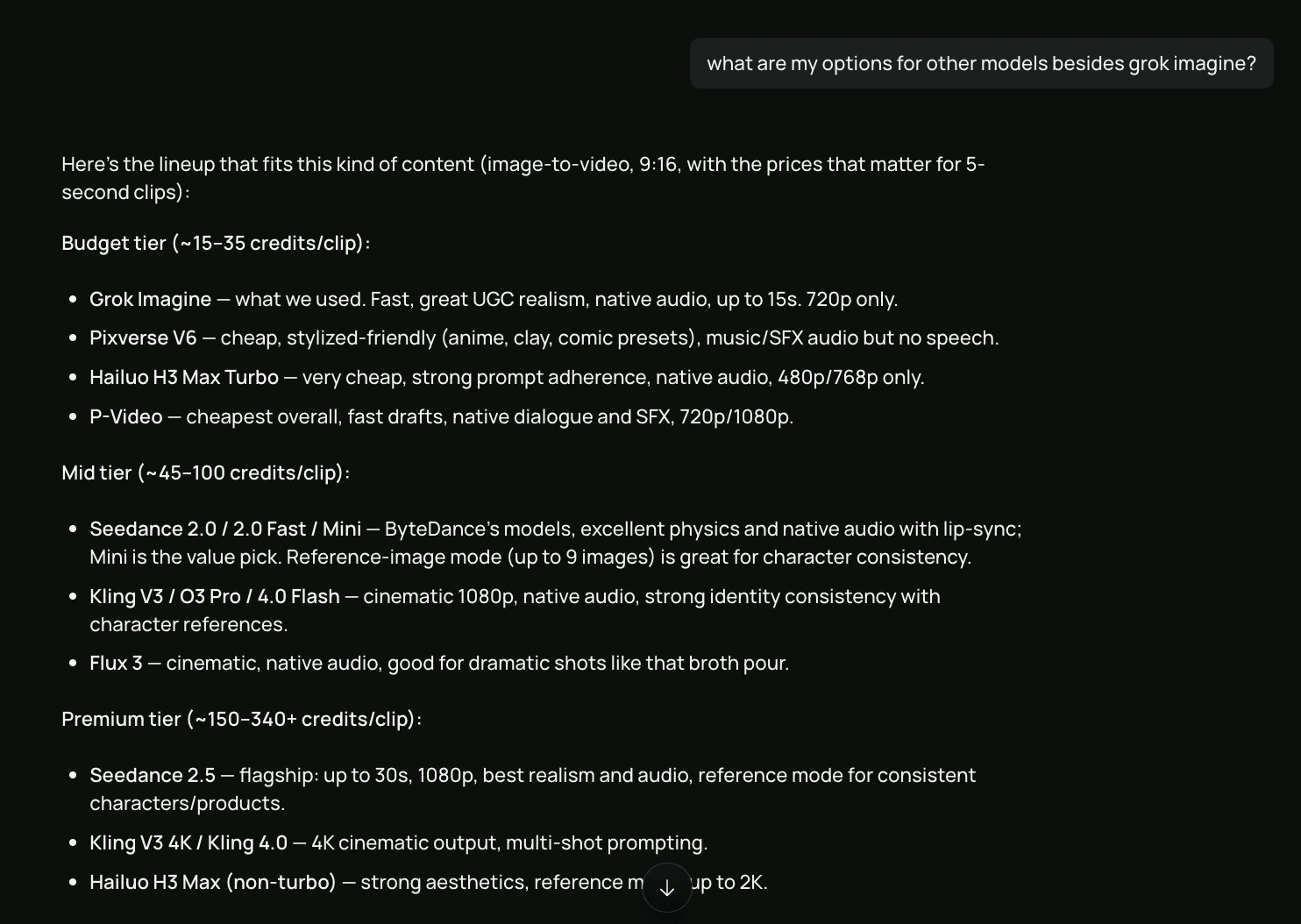
As a next step, I explored with the orchestrator what my options were.
I was still having fun at this point, lol.
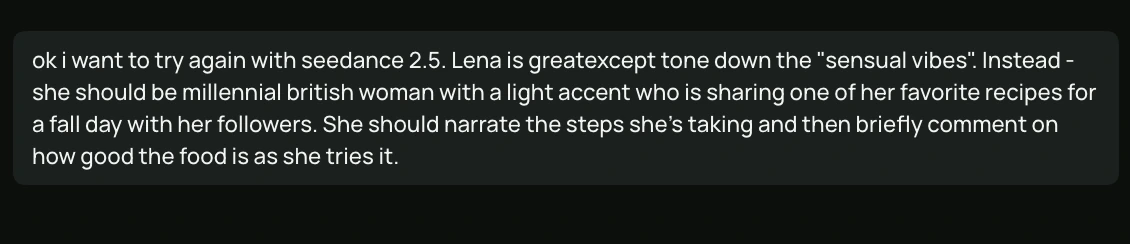
I wanted to save some credits for other experiments, so I picked the cheaper option, Hailuo H3 Max Turbo. I had no idea what that model was, but I was along for the ride.
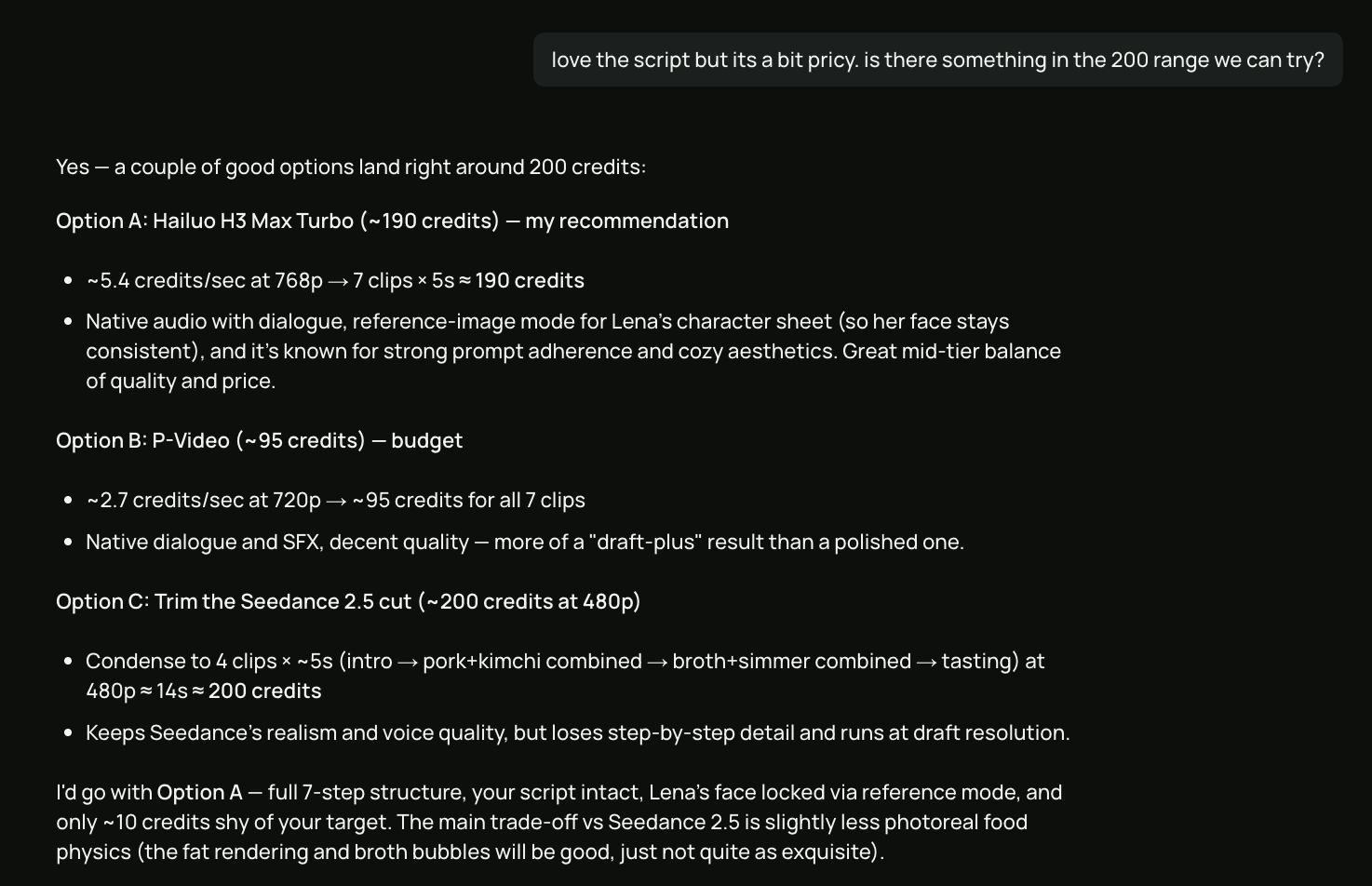
That run cost about $2. The whole experiment took 20 minutes and cost about $10.
What I learned
Anything with human interaction in the video has a much higher bar to surpass the uncanny valley feel. Any amount of complexity is likely to feel “off”.
Managing complexity is where the orchestrator was most helpful. The pre-vibed characters and prefab “skills” within Glif’s app just work well for many use cases. They help skip many of the pain staking iterations video generation requires.
I also learned that hard mode is anything related to food in action. Ie: cooking and eating (remember the Will Smith pasta videos?). Steam, liquid, ladling and hands holding utensils are exactly where video models fall apart.
With just a few experiments, you climb the learning curve and get much more optimized with your budget.
Moving forward, I’m much more likely to lean into the prepackaged skills and “characters” Glif and other orchestrators have because it skips right over the hiccups of customizing everything from scratch. Here’s an example of me trying to do it myself without the skills.
Watch the bowls at the end. She pours stew into a bowl. Cut to her tasting it straight from the pot, and the bowl is now full of rice. Cut again and she’s tasting the stew a second time, with a bowl of rice and an empty bowl in front of her. Somewhere along the way she also talks about standing around doing nothing. I can promise you that line wasn’t in my script.
Why I stopped short
I burned through my credits on the learning curve before I ever got a truly usable cut. Instead of chasing the last 20% of perfection with more money, I decided to call it an experiment and write up what I learned. At this point, a finished lesson and my writeup beats an unfinished video.
What I'd do differently next time
I’d set a hard budget and use a cheaper model with Glif’s built-in tools to test my prompts and settle on a shot list. I’d save the more expensive model for the final takes and upscaling.
I’d also spend a lot more time storyboarding every shot as still images with precise scripting before generating any video.
Keeping shots as tight as possible, each action representing one clip, then stitching them together, instead of asking for one long clip. Although if I was leaning on an orchestrator platform, I’d be more inclined to trust it with my storyboard and a budget to go and one shot it.
Finally, I’d keep a log of every prompt, its cost and the result from the very first generation. What worked and didn’t work, kind of like keeping a diary. This is like a swipe file but for prompting and is a time and money saver for future jobs.
Final Thoughts
Would I put one of these cuts on my recipe site? No. Are some of the scenes legitimately usable? Absolutely. Especially some of the reaction and narration bits. That’s half the reason I watch cooking videos anyway. I want to see what’s for dinner.
Next time I’d put the same $10 toward a shorter promo with a better model. I’d let her introduce the recipe, cut to the jjigae simmering, then come back to her at the table for a bite. This time I’ll be watching the bowl.